The James A. Gibson Library offers an environment for quiet, silent and group study. Three distinct zones: quiet study areas, silent study areas, and group study areas are noted below.
Occupancy Tracker
Find a seat in the Library. See what floors are currently busy or that match your study style.
Bookable Spaces
Both individual and group study rooms are available for advanced booking.
Silent Spaces
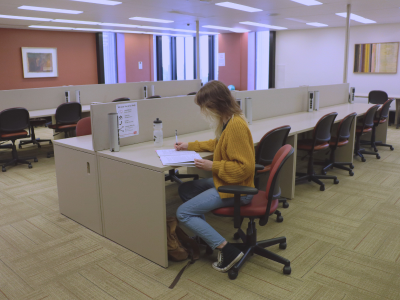
Floors 9, 10, are silent areas. An enclosed silent study room with seating for over 30 is available on floor 5.
Learning Commons Classroom B is a silent study room when not in use for instruction.
Please be considerate of others and choose different spaces if you will be talking.
Quiet Spaces
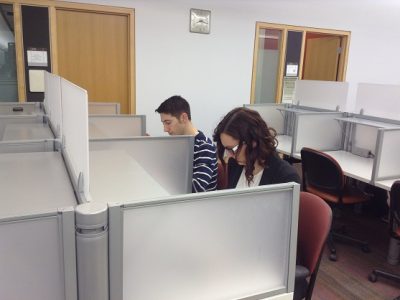
The one-person study carrels and computer workstations on the main floor and the study carrels on floors 5, 6, 7, and 8 are quiet areas.
Learning Commons Classroom A (computer lab) is available for quiet study when not in use for instruction.
These spots are suitable for hushed conversation between individuals.
Group Spaces
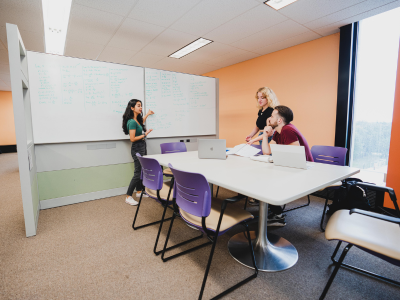
Most of the main (second) floor of the Library and Learning Commons consists of common areas.
Floors 5, 6, and 7 also have several group study areas with bookable group study rooms, whiteboards and electrical outlets.
These areas are suitable for quiet conversation among individuals and groups.

Books A – DA 499
Archives and Special Collections.
Books DA 500 – JC
Books JF – PR 3399
Journals Per A-ZA
Government Documents Collection
Books PR 3400 – QA 399
Books QA400 – ZA
DVDs & VHS Videos
Microfiche and Microfilm room with computer
Ask Us desk
Course Readings
Instruction classrooms
Featured Book Display
Indigenous Collection
Badger Books
Games
Coco Fresh
Upon entering the Learning Commons in the James A. Gibson Library, you may notice our vibrant Floor Count/Occupancy display on the large monitors at both entrances of the library. These are there to help visitors find a seat in the library.
How do we get this information?
- Short answer: wi-fi device counts.
- Long answer: If you look up at the ceiling, you might spot white square boxes with “Aruba” written on them. These are the access points that provide Brock’s Wi-Fi. Every so often, we check how many devices are connected to each one. Since we know where each access point is located, this helps us estimate how many people are in that area. We cannot see information about individuals connected, only the total number of devices connected to the access points. We collect data over time and trained a model that compares device counts to the actual number of people. This estimate changes throughout the day, depending on how busy the space is.